Some days feel busy before they even begin. You have tasks to finish, messages to answer, meetings to attend, and personal things waiting in the background.
A daily productivity planner helps you turn that mental clutter into a clear plan. It gives your day structure without making productivity feel complicated.
The goal is not to schedule every minute perfectly. The goal is to know what matters today, make time for it, and finish the day with a clearer sense of progress.
What Is a Daily Productivity Planner?
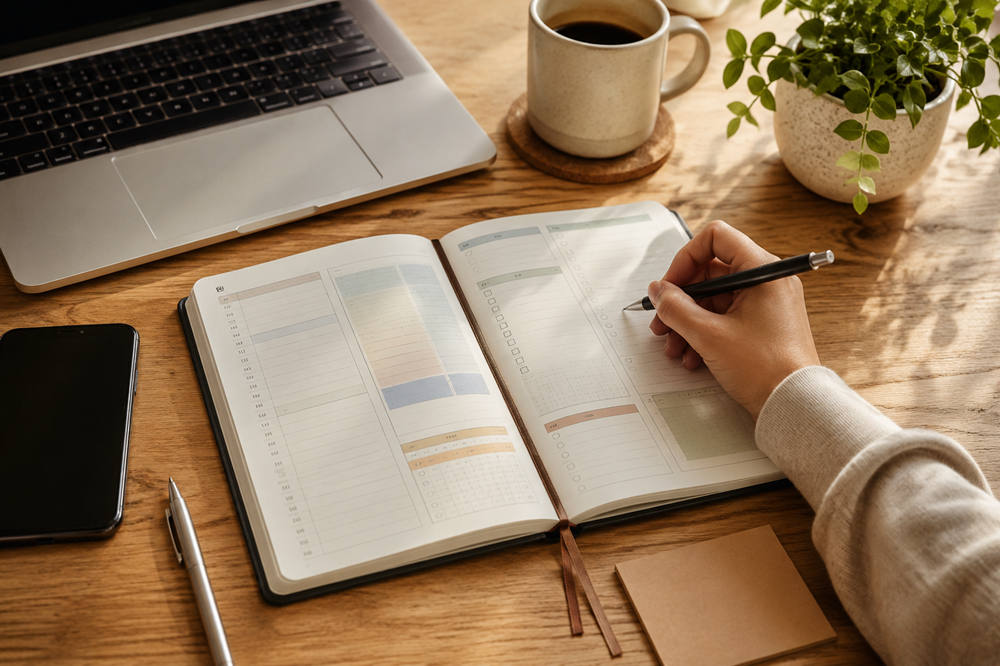
A daily productivity planner is a simple tool for organizing your tasks, priorities, schedule, habits, and notes in one place.
It can be a paper planner, printable worksheet, notebook, app, digital calendar, or spreadsheet. The format is flexible. What matters most is that it helps you plan your day before distractions take over.
A basic to-do list shows what needs to be done. A productivity planner goes a step further by helping you decide what matters most, when you will do it, and what can wait.
That makes it easier to work with focus instead of reacting to everything as it comes up.
Why a Daily Productivity Planner Helps
A daily productivity planner helps because it gives your attention a clear direction.
When every task stays in your head, your brain keeps trying to remember all of it. That can make you feel busy, scattered, and behind even when you are working hard.
Writing things down gives your mind room to breathe. It also helps you make better choices about your time instead of jumping from one small task to another.
A daily productivity planner can help you:
- Reduce mental clutter
- Focus on your most important work
- Break big tasks into smaller steps
- Avoid overloading your schedule
- Make space for breaks
- Track what you finished
- Notice what needs to change tomorrow
It is not about doing more for the sake of doing more. It is about planning your day in a way that feels clear, realistic, and useful.
What to Include in a Daily Productivity Planner
A good daily productivity planner should be simple enough to use every day. You do not need dozens of sections. A few useful ones are enough.
Date and Day
Start with the date and day of the week. This keeps your pages organized and makes it easier to look back later.
You can also add a short note about the day, such as “meeting-heavy,” “deep work,” or “light schedule.” This helps you plan based on the day you actually have.
Top 3 Priorities
Your top 3 priorities are the tasks that matter most today.
These should be specific. Instead of writing “work on project,” write “finish the project outline.” Instead of “clean house,” write “clean kitchen counters and load dishwasher.”
Clear tasks are easier to start. They also make it easier to know when you are done.
Time Blocks
Time blocks help you match your tasks with real space in your day.
Instead of writing a long list and hoping everything gets done, assign important work to a general time.
For example:
9:00–10:30 — Write report draft
10:30–10:45 — Break
11:00–12:00 — Team meeting
1:00–2:00 — Reply to client emails
2:30–4:00 — Edit project notes
You do not need to plan every minute. Even a few clear blocks can make the day feel more manageable.
Task List
Your task list is for smaller items that still need attention.
This may include errands, calls, emails, chores, admin work, or follow-ups. Keep this separate from your top priorities so small tasks do not bury the work that matters most.
If a task is important enough to protect, give it a time block. If it is small and flexible, keep it on the task list.
Appointments and Deadlines
Add meetings, calls, appointments, due dates, and fixed commitments.
This helps you avoid planning a day that looks good on paper but does not fit real life. If your schedule is already packed, your task list should be lighter.
A planner works best when it reflects your actual time, not your ideal schedule.
Breaks
Breaks help you stay focused, especially during long or demanding days.
Add short pauses between harder tasks when possible. This could be lunch, a walk, stretching, quiet time, or simply stepping away from your screen.
You do not need a long break every hour. You just need enough space to reset before your attention drops.
Habit Tracker
A small habit tracker can help you stay consistent with routines that support your energy and focus.
You might track:
- Water
- Movement
- Reading
- Journaling
- Sleep
- Meditation
- Screen-free time
- Planning tomorrow
Keep this section short. Tracking too many habits can make the planner feel like extra work.
Notes
A notes section gives you a place for quick reminders, ideas, phone numbers, or thoughts that come up during the day.
This keeps random details from taking over your schedule or task list.
End-of-Day Review
A short review helps you close the day and prepare for tomorrow.
Ask yourself:
What did I finish?
What still matters?
What can move to tomorrow?
What worked well?
What should I adjust?
This only takes a few minutes, but it helps you stop carrying unfinished tasks around in your head.
How to Use a Daily Productivity Planner Effectively
A planner is only helpful if it fits your real life. The best approach is simple, steady, and flexible.
1. Plan Your Day Before It Starts
Plan either the night before or first thing in the morning.
Planning the night before helps you wake up with direction. Planning in the morning helps you adjust based on your energy, mood, and schedule.
Both can work. The main point is to plan before the day starts pulling your attention in different directions.
2. Start With Priorities, Not Small Tasks
Small tasks are easy to write down because they feel clear and quick. But if you start there, your most important work can get pushed aside.
Choose your top 3 priorities first.
Ask, “What would make today feel successful?”
Once those priorities are clear, add smaller tasks around them. This keeps your day centered on meaningful progress, not just busyness.
3. Keep Your List Realistic
A daily planner should guide you, not make you feel behind before you start.
Before you commit to your list, check whether it actually fits your day. Look at your meetings, energy level, deadlines, and personal responsibilities.
Then cut or move anything that does not belong today.
A shorter, realistic list is more useful than a long list you keep rewriting tomorrow.
4. Use Time Blocks for Important Work
Important tasks need protected space.
Instead of writing “work on presentation,” schedule a block for “create first five presentation slides.” This makes the task easier to begin and harder to ignore.
Time blocking also shows you when your day is already full. That can save you from promising yourself more than you can reasonably do.
5. Leave Room for the Unexpected
Even a well-planned day can change. A meeting runs long. A task takes longer than expected. Someone needs help. Your energy dips.
Leave a little open space when you can.
This might mean adding buffer time between tasks, keeping part of the afternoon lighter, or choosing fewer priorities on a busy day. Flexibility keeps one change from ruining the whole plan.
6. Review Before You End the Day
At the end of the day, look back at your planner.
Mark what you finished. Move anything important to another day. Delete tasks that no longer matter.
This review helps you reset instead of starting tomorrow with a messy list. It also gives you a better picture of how you actually spend your time.
Paper vs Digital Daily Productivity Planners
There is no perfect planner for everyone. The best daily productivity planner is the one you will actually use.
A paper planner is great if you like writing by hand. It feels simple, focused, and less distracting. It can also make planning feel more intentional because you are not switching between apps.
Paper works well for people who enjoy checking things off, journaling, or keeping their planner open on a desk.
A digital planner is better if your schedule changes often. Apps, calendars, and task tools make it easy to move items around, set reminders, repeat habits, and access your plan from multiple devices.
Digital planning works well if you manage work across email, calendars, projects, or shared tools.
You can also combine both. For example, you might keep appointments in a digital calendar and use a paper planner for your daily priorities.
The right choice depends on your habits, your work style, and what feels easiest to maintain.
Common Daily Productivity Planner Mistakes
A planner should make your day easier. If it starts to feel stressful, one of these mistakes may be the reason:
- Adding too many tasks
- Planning every minute with no breathing room
- Treating the planner like a wish list
- Ignoring your energy level
- Skipping breaks
- Changing planner systems too often
- Writing vague tasks
- Moving the same task forward every day without changing the plan
- Never reviewing what worked
You do not need a perfect system. You need a planner that helps you make better decisions about your time.
Summary
A daily productivity planner helps you organize your day with more clarity and less stress. It gives you a place to choose priorities, plan your schedule, track tasks, protect breaks, and review your progress.
Keep it simple. Pick the most important tasks, give them space in your day, and leave room for real life.
Used consistently, a daily productivity planner can help you feel more focused, less scattered, and more in control of how your day unfolds.