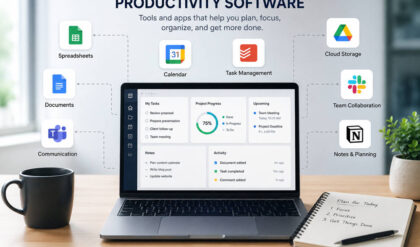

AI productivity tools have changed a lot. A few years ago, most people used AI to write emails, summarize articles, or brainstorm ideas. In 2026, AI is becoming more useful inside the tools people already use every day.
Now AI can help take meeting notes, find old messages, summarize long threads, organize files, draft follow-ups, create reports, and turn scattered information into clear next steps.
That does not mean every new AI feature is worth your time. Some tools are genuinely helpful. Others add noise. The goal is not to use AI everywhere. The goal is to find the features that remove real friction from your workday.
What Are AI Productivity Tools in 2026?
AI productivity tools are apps or built-in features that help you complete everyday work faster. They may live inside your email, calendar, documents, spreadsheets, chat apps, meeting software, or project management system.
In 2026, these tools can help with tasks like:
- Writing and editing
- Summarizing meetings
- Finding files and messages
- Drafting replies
- Creating task lists
- Building reports
- Organizing project updates
- Automating simple workflows
The biggest shift is that AI is becoming more connected to your work context. Instead of copying information into a separate chatbot, you can often use AI inside the app where the work is already happening.
For example, Microsoft 365 Copilot updates continue to bring AI features into tools like Word, Excel, Outlook, PowerPoint, and Teams. Google is also adding Gemini features across Workspace apps, including Drive, Gmail, Sheets, Docs, and Meet.
That matters because productivity problems usually do not come from one huge task. They come from dozens of small delays: looking for a document, rewriting a similar email, checking what was decided in a meeting, or trying to turn messy notes into something usable.
Good AI features help with those moments.
Why AI Productivity Tools Are Changing in 2026
The first wave of AI tools was mostly about creating content. You gave AI a prompt, and it gave you text.
That is still useful, but newer tools are moving toward context and action. They do not just help you write. They help you understand what is happening across your work and decide what to do next.
This is where AI becomes more practical. It can help answer questions like:
- What did we agree on in the last meeting?
- Which tasks are overdue?
- What are the main points in this email thread?
- What changed in this document?
- What should I follow up on today?
- What information do I need before this call?
Instead of replacing your judgment, AI can reduce the time it takes to gather information. That gives you more room to think, plan, and make better decisions.
1. AI Writing and Document Creation
Writing is still one of the easiest ways to use AI for productivity. The difference now is that AI writing features are more connected to your files, emails, notes, and workplace tools.
You can use AI to:
- Draft emails from a few bullet points
- Rewrite a message in a clearer tone
- Turn notes into a project brief
- Shorten a long report
- Create a first draft of a proposal
- Build a slide outline from a document
- Summarize key points for a team update
This is helpful because many people waste time trying to start from a blank page. AI gives you a rough first draft, which you can then improve.
The key is to give clear direction. Instead of asking, “Write an email,” give the tool the situation, tone, and goal.
For example:
“Write a short follow-up email to a client who has not replied in two weeks. Keep it friendly, professional, and under 120 words.”
That kind of prompt usually creates a much better starting point.
2. Smarter Search Across Work Apps
AI search may not sound exciting, but it can save a lot of time.
Traditional search depends on exact words. If you do not remember the file name, subject line, or phrase someone used, you may spend several minutes digging through folders and messages.
AI search lets you ask questions in normal language.
You might ask:
- “What did we decide about the launch date?”
- “Find the latest pricing document.”
- “Summarize the client feedback from last week.”
- “What are the open issues on this project?”
- “Show me the most important messages about this account.”
This is especially useful for teams because work is often spread across many places. A decision may be in Slack. A file may be in Google Drive. A task may be in Asana. Meeting notes may be in Zoom or Teams.
Tools like Slack AI are built around this problem, with features for summaries, search, meeting notes, translations, and workflow help. The real value is not just speed. It is reducing the mental load of remembering where everything lives.
3. AI Meeting Notes and Follow-Ups
Meetings can create more work if the next steps are unclear. Someone says, “Let’s follow up on that,” but nobody writes it down. A decision is made, but three people remember it differently. A useful idea disappears because it was never turned into a task.
AI meeting notes can help by creating:
- Meeting summaries
- Key decisions
- Action items
- Speaker notes
- Follow-up drafts
- Recaps for people who missed the call
This is one of the most useful AI productivity features because it supports what happens after the meeting. The point is not to collect more notes. The point is to leave with clearer next steps.
A simple habit can make this feature much more effective: review the AI summary right after the meeting. Fix anything incorrect, assign owners, and confirm deadlines while the conversation is still fresh.
Without that review, even a good AI summary can become another forgotten document.
4. Email and Calendar Assistance
Email and calendar work can quietly drain your day. You may not think of it as “real work,” but it takes attention, energy, and time.
AI can help by:
- Summarizing long email threads
- Drafting quick replies
- Pulling out deadlines
- Suggesting follow-up actions
- Turning emails into tasks
- Preparing meeting briefs
- Helping organize your schedule
Google’s June 2026 Workspace feature drop highlights this direction, with AI updates for Drive, Sheets, and Gmail.
The best use of AI for email is not letting it send everything for you. A better approach is to let AI create a draft, then edit it so it sounds clear, accurate, and human.
For calendar work, AI can help you prepare before meetings instead of scrambling at the last minute. A meeting brief with the agenda, related files, and recent messages can make a call much easier to join with confidence.
5. AI Agents for Project Management
AI agents are one of the biggest changes in productivity tools. A regular chatbot answers questions. An AI agent can help carry out a task based on instructions, context, and sometimes a trigger or schedule.
In project management, AI agents can help with:
- Creating project plans
- Turning notes into tasks
- Drafting status updates
- Finding overdue work
- Summarizing project changes
- Preparing weekly reports
- Answering questions about project details
- Helping teams stay aligned
For example, Notion Custom Agents can be set up with jobs, triggers, or schedules, while Asana AI Teammates are designed to coordinate work inside team workflows.
This can be useful, but only when the job is specific. “Manage my project” is too broad. “Create a Friday summary of overdue tasks and blocked items” is much better.
AI agents work best when they have clear boundaries. Give them a narrow role, a repeatable task, and a review step.
6. Workflow Automation Without Code
Workflow automation used to feel technical. You had to understand rules, triggers, integrations, and settings. In 2026, more tools are making automation easier through plain-language instructions.
You may be able to describe what you want, such as:
- “Create a task after each meeting action item.”
- “Send a weekly summary of overdue work.”
- “Draft a follow-up email after each sales call.”
- “Notify the team when a project status changes.”
- “Move completed requests into the archive.”
- “Create a Monday report from this project board.”
This is useful because many people know what they want to automate, but they do not want to build a complicated system.
Still, automation only works well when the process is already clear. If a workflow is messy, AI can make the mess move faster. Before automating, define the basics:
- What starts the workflow?
- What should happen next?
- Who needs to review it?
- What should never be automated?
Clear rules make AI automation safer and more useful.
7. AI for Spreadsheets, Data, and Reports
Spreadsheets are powerful, but they can also be frustrating. Not everyone knows the right formula, how to clean messy data, or how to turn numbers into a useful report.
AI can help with:
- Explaining formulas
- Fixing formula errors
- Summarizing trends
- Creating simple charts
- Cleaning messy data
- Finding patterns
- Turning raw notes into tables
- Drafting report summaries
This is helpful for managers, freelancers, teachers, marketers, small business owners, and anyone who needs to work with numbers without becoming a data expert.
The important thing is to check the output. AI can help explain data, but it can also miss details or make weak assumptions.
A good follow-up question is:
“What numbers did you use to reach this conclusion?”
That keeps you in control of the final decision.
8. AI Collaboration Features for Teams
Productivity is not only about individual speed. Teams also need shared understanding.
AI collaboration features can help teams create:
- Shared meeting summaries
- Project updates
- Internal knowledge bases
- Searchable notes
- Cleaner handoffs
- Faster onboarding materials
- Summaries of long discussions
This helps because team confusion often comes from scattered information. One person has the email. Another person remembers the meeting. Someone else has the document. AI can help pull that information together.
For example, a manager might use AI to summarize a project channel before a weekly meeting. A new employee might use AI search to understand past decisions. A team lead might use AI to turn meeting notes into a simple status update.
The best collaboration features are not flashy. They reduce repeated questions, missed details, and unclear ownership.
9. Privacy, Permissions, and AI Limits
AI productivity tools often work better when they can access your files, messages, meetings, and calendar. That also means you need to be careful.
Before connecting AI to your work tools, check:
- Which files it can access
- Whether private chats are included
- Whether client documents are protected
- Who can see AI-generated summaries
- Whether admins can manage permissions
- How sensitive data is handled
This matters even more for teams working with client files, financial data, legal documents, employee information, or private business plans.
AI can also be wrong. It may summarize a meeting badly, miss context, or make a confident guess. Use it to speed up low-risk work, but slow down when accuracy matters.
A simple rule works well: let AI help prepare the work, but let a person approve the final version.
How to Choose the Right AI Productivity Tool in 2026
You do not need every AI tool. You need the ones that solve your real problems.
Choose based on:
- Where you already work: Start with tools your team already uses.
- Your biggest time drain: Pick features that remove repeated friction.
- Ease of use: If it feels complicated, people will avoid it.
- Integrations: The tool should connect with your files, meetings, tasks, or messages.
- Privacy controls: Make sure permissions are clear.
- Team adoption: AI works better when everyone follows the same system.
- Cost: Do not pay for features you barely use.
- Review options: You should be able to check and edit AI output easily.
A good starting point is one feature, not five. Try AI meeting notes for two weeks. Or use AI to summarize email threads. Or create one weekly project report.
Small improvements are easier to keep.
Common Mistakes to Avoid
AI productivity tools can help, but they can also become another distraction.
Avoid these common mistakes:
- Trying too many tools at once: More tools can create more switching.
- Using AI only because it is new: Start with a real problem.
- Skipping review: AI drafts and summaries still need human judgment.
- Connecting everything too quickly: Check permissions first.
- Automating unclear workflows: Fix the process before speeding it up.
- Letting AI writing sound generic: Edit the final version so it sounds natural.
- Expecting AI to set your priorities: AI can organize work, but you still need clear goals.
The best AI setup is usually simple. A meeting notes tool, a writing helper, a project assistant, and a few useful automations may be enough.
Summary
New AI features in productivity tools in 2026 are most helpful when they solve everyday work problems. The best features help you write faster, summarize meetings, find information, organize projects, create reports, and automate repeatable tasks.
The smartest approach is not to use every AI feature you see. Start with the part of your day that feels slow, messy, or repetitive. Then choose one AI feature that makes that task easier.
Used this way, AI does not add more noise to your workflow. It helps you work with more clarity, less busywork, and better follow-through.