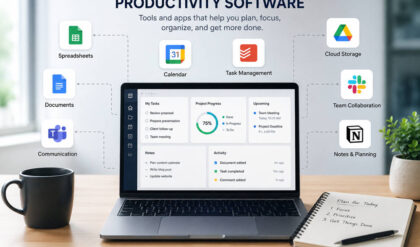
The right productivity app can make your day feel lighter. The wrong one can become another thing you have to manage.
That is why the best free apps for productivity are not always the biggest or most complicated. A good app should help you capture ideas, plan your time, manage tasks, organize projects, or stay focused without adding extra clutter.
Free plans usually come with limits, but many are more than enough for personal use, students, freelancers, and small teams. The key is choosing the app that solves your actual problem instead of downloading everything that looks useful.
Best Free Productivity Apps at a Glance
Best overall: Notion
Best for simple tasks: Todoist
Best for quick notes: Google Keep
Best for daily planning: Microsoft To Do
Best for visual projects: Trello
Best for time blocking: Google Calendar
Best for deep notes: Obsidian
Best for time tracking: Clockify
Best for power users: ClickUp
Best for small teams: Asana
Best for minimal notes: Simplenote
1. Notion: Best Free All-in-One Productivity App
Notion is a strong choice when you want one place for notes, tasks, goals, project planning, and personal dashboards. Its free plan works well for individuals who want to organize different parts of life in one flexible workspace.
You can use Notion to build a weekly planner, content calendar, habit tracker, reading list, school dashboard, or client project hub. It is especially useful if you like templates and want your system to match the way you think.
The only catch is that Notion can feel too open at first. If you just want a quick checklist, it may be more than you need. But for people who enjoy organizing ideas visually, Notion is one of the best free productivity apps available.
Best for: notes, planning, goals, dashboards, content calendars, and personal systems.
2. Todoist: Best Free App for Simple Task Management
Todoist is great for people who want a clean, reliable to-do list without a lot of setup. You can create tasks, organize them into projects, add due dates, set priorities, and build recurring reminders.
What makes Todoist useful is how quickly you can add something and move on. That sounds simple, but it matters. A task app only works when you trust yourself to use it every day.
Todoist is a good fit for work tasks, errands, study goals, household reminders, and recurring routines. It keeps your responsibilities in one place without turning task management into a project of its own.
Best for: daily to-do lists, recurring tasks, reminders, and lightweight project organization.
3. Google Keep: Best Free App for Quick Notes and Ideas
Google Keep is built for fast capture. It is the app you open when you need to save something before you forget it.
You can create notes, checklists, voice notes, photo notes, and reminders. It also connects easily with your Google account, which makes it convenient if you already use Gmail, Google Drive, or Google Calendar.
Google Keep is not meant for detailed project planning or long-form writing. Its strength is speed. Use it for grocery lists, random ideas, meeting notes, article topics, reminders, and small pieces of information you need to find later.
Best for: quick notes, checklists, reminders, voice notes, and simple idea capture.
4. Microsoft To Do: Best Free App for Daily Planning
Microsoft To Do is a simple daily planner with enough structure to keep your day organized. You can create lists, add reminders, set recurring tasks, break bigger tasks into steps, and attach files.
Its best feature is “My Day.” Instead of looking at every task you have, you choose what needs attention today. This makes your list feel more realistic and less overwhelming.
Microsoft To Do is especially helpful if you already use Outlook or other Microsoft tools. It is calm, practical, and easy to understand.
Best for: daily planning, reminders, recurring tasks, and Outlook users.
5. Trello: Best Free App for Visual Project Boards
Trello is a great option for visual thinkers. Its board-and-card layout makes it easy to see what needs to be done, what is in progress, and what is finished.
You can create boards for work projects, home organization, content planning, job searches, event planning, or team workflows. Cards can include checklists, due dates, labels, attachments, and comments.
A simple Trello board with “To Do,” “Doing,” and “Done” can make a messy project feel much easier to manage. That makes Trello especially useful when your work has several moving pieces.
Best for: visual planning, Kanban boards, small projects, content workflows, and team task tracking.
6. Google Calendar: Best Free App for Time Blocking
A task list tells you what needs to happen. Google Calendar helps you decide when it will happen.
This makes it one of the most practical free productivity tools, especially for people who overfill their to-do lists. When you place tasks on your calendar, you can see how much time you actually have.
Google Calendar works well for appointments, meetings, routines, deadlines, shared schedules, and weekly planning. It is also helpful for time blocking, where you set aside specific blocks for deep work, errands, exercise, or personal projects.
Best for: time blocking, appointments, weekly planning, routines, and shared schedules.
7. Obsidian: Best Free App for Deep Notes and Knowledge Management
Obsidian is a powerful note-taking app for people who want to build a personal knowledge system. It is especially popular with writers, researchers, students, and people who collect a lot of ideas.
Unlike basic note apps, Obsidian lets you connect notes together. Over time, this can turn your notes into a useful network of thoughts, research, references, and drafts.
It does have a learning curve, so it may not be the best choice for quick shopping lists or simple reminders. But if you want a serious place to store and develop ideas, Obsidian is worth exploring.
Best for: research, writing, long-term notes, connected ideas, and personal knowledge management.
8. Clockify: Best Free App for Time Tracking
Clockify helps you understand where your time actually goes. That can be useful if your days feel busy but you are not sure what is taking up your hours.
You can track time by project, task, or client. This is helpful for freelancers, students, remote workers, and anyone trying to plan more realistically.
The biggest benefit is awareness. Once you see how long tasks really take, it becomes easier to spot distractions, improve estimates, and protect your best working hours.
Best for: time tracking, freelance work, study sessions, client projects, and productivity audits.
9. ClickUp: Best Free App for Power Users
ClickUp is best for people who want a more advanced productivity system. It can handle tasks, docs, goals, dashboards, project views, and team collaboration.
This makes it more powerful than a basic to-do list. You can organize personal projects, business workflows, team tasks, content calendars, and detailed project plans in one place.
The tradeoff is that ClickUp can feel busy at first. If you only need a simple daily checklist, Todoist or Microsoft To Do may feel easier. But if you manage several projects and want room to grow, ClickUp is a strong free option.
Best for: project management, dashboards, team planning, goals, and advanced task systems.
10. Asana: Best Free App for Small Team Projects
Asana works well when tasks need clear owners, due dates, and project stages. It is more structured than Trello and less customizable than Notion, which can be a benefit if you want a system that is ready to use.
Small teams can use Asana to organize client work, school group projects, business tasks, launches, and recurring workflows. It helps everyone see what needs to happen and who is responsible for each step.
For solo users, Asana may feel more formal than necessary. For teams, that structure can make work much easier to manage.
Best for: team tasks, project timelines, client work, and organized collaboration.
11. Simplenote: Best Free App for Minimal Notes
Simplenote is a clean, lightweight note app for people who do not want extra features getting in the way.
There are no complicated dashboards or heavy formatting tools. You open the app, write the note, and find it later. That simplicity makes it useful for quick drafts, plain-text notes, journal entries, and writing ideas.
Simplenote is not flashy, but that is part of its appeal. It is a good choice when you want a note app that stays out of your way.
Best for: simple notes, writing drafts, plain-text ideas, and distraction-free capture.
How to Choose the Right Free Productivity App
Start with the problem you want to solve.
If your tasks are scattered, try Todoist or Microsoft To Do. If your schedule feels chaotic, use Google Calendar. If your notes are messy, start with Google Keep, Simplenote, Obsidian, or Notion. If you need a visual project board, Trello is a smart choice. If you manage team work, Asana or ClickUp may fit better. If you keep losing track of time, Clockify can show you what is really happening.
The biggest mistake is downloading too many apps at once. More tools do not always mean more productivity. Start with one app, use it for a week, and see whether it makes your day easier.
Summary
The best free apps for productivity in 2026 are useful because each one solves a different problem. Notion is best for an all-in-one workspace. Todoist and Microsoft To Do are great for tasks. Google Keep and Simplenote are better for quick notes. Google Calendar helps with time blocking. Trello, Asana, and ClickUp support project planning. Obsidian is ideal for deeper thinking, while Clockify helps you track your time.
A good productivity app should make your life feel clearer, not heavier. Choose the tool that removes friction, keep your system simple, and focus on using it consistently.