
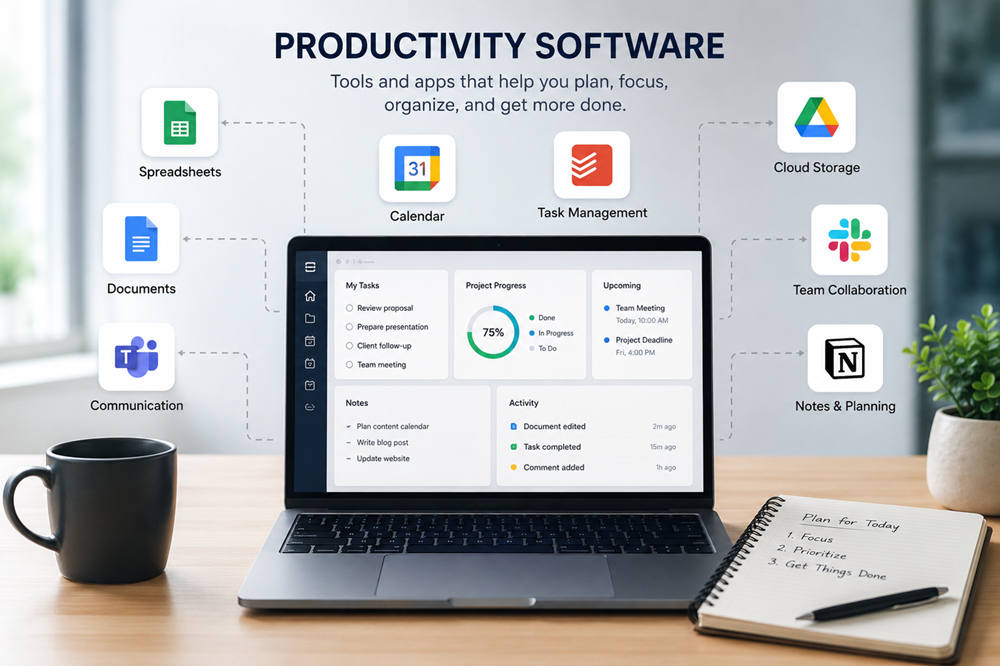
Productivity software helps you get things done with less stress and less wasted time. It can help you write documents, manage tasks, organize files, plan projects, track schedules, communicate with others, or automate small jobs that eat up your day.
The right tool depends on what you need to improve. A student may need better notes and deadlines. A freelancer may need time tracking and invoices. A team may need shared documents, project boards, and faster communication.
Below are common examples of productivity software and how each one can be used in real life.
What Is Productivity Software?
Productivity software is any app or program that helps people complete work more efficiently. Some tools are simple, like a calendar or to-do list. Others are full workspaces with documents, spreadsheets, email, storage, meetings, and team collaboration.
Common types of productivity software include:
- Word processors
- Spreadsheets
- Presentation tools
- Email apps
- Calendar apps
- Note-taking apps
- Task managers
- Project management tools
- Communication platforms
- Cloud storage services
- Time tracking tools
- Automation software
You do not need every type of tool. In fact, using too many apps can make your workflow more confusing. The goal is to choose software that removes friction, not adds another layer of work.
1. Microsoft 365
Microsoft 365 is one of the most common examples of productivity software. It includes Word, Excel, PowerPoint, Outlook, OneDrive, Teams, and other tools used in schools, offices, and businesses.
Word is useful for writing reports, resumes, essays, letters, and business documents. Excel helps with budgets, charts, data lists, schedules, and calculations. PowerPoint is used for presentations, training materials, lessons, and meetings.
Microsoft 365 works well when you need a complete office suite in one place. It is especially useful for people who regularly write documents, work with spreadsheets, send emails, join meetings, and store files online.
2. Google Workspace
Google Workspace includes Gmail, Google Docs, Google Sheets, Google Slides, Google Drive, Google Calendar, Google Meet, and other tools. It is popular because it makes sharing and collaboration easy.
For example, several people can edit the same Google Doc at the same time, leave comments, suggest changes, and view updates instantly. A teacher can share assignments with students. A small business can keep shared files in Google Drive. A team can plan meetings with Google Calendar and meet through Google Meet.
Google Workspace is a strong option for students, remote workers, small teams, and anyone who needs simple online collaboration.
3. Notion
Notion is a flexible workspace for notes, documents, projects, databases, and personal organization. It can be as simple or as detailed as you want it to be.
You can use Notion to build a class dashboard, content calendar, reading list, habit tracker, meeting notes library, project plan, or team knowledge base. Writers often use it to organize ideas. Students use it for study notes. Teams use it to keep processes and documents in one searchable place.
Notion is helpful when your work involves many moving parts and you want one central space to organize them.
4. Todoist
Todoist is a task management app for creating to-do lists, setting deadlines, organizing projects, and tracking recurring tasks.
It is a good choice when your main problem is forgetting what needs to be done. You can create tasks for homework, errands, work projects, appointments, reminders, or daily routines.
A student might use Todoist to track assignments and exam dates. A freelancer might use it to manage client deadlines. A busy parent might use it for bills, groceries, school events, and household tasks.
Todoist is simple, clean, and focused. It works best for people who want a better task list without building a complicated system.
5. Trello
Trello is a visual project management tool based on boards, lists, and cards. Many people use it with simple columns like “To Do,” “In Progress,” and “Done.”
Each card can hold a task, checklist, deadline, attachment, comment, or note. This makes Trello useful for planning content, managing small projects, organizing events, tracking school assignments, or coordinating team work.
Trello is especially helpful for visual thinkers. Instead of reading a long task list, you can quickly see where each task stands.
6. Asana
Asana is a project management platform for teams that need more structure. It helps users assign tasks, set deadlines, track progress, manage workflows, and see who is responsible for each part of a project.
A marketing team could use Asana to plan a campaign from idea to launch. A manager could assign writing, design, review, and publishing tasks to different people. Everyone can see deadlines, updates, and next steps in one place.
Asana is better suited for team projects than simple personal to-do lists. It works well when several people are involved and missing one deadline could delay the whole project.
7. Slack
Slack is a team communication tool that organizes conversations into channels and direct messages. Instead of having every discussion buried in email, teams can create spaces for different projects, departments, clients, or topics.
For example, a company might have separate channels for announcements, customer support, marketing, design, and product updates. This keeps conversations easier to find and helps teams respond faster.
Slack is productivity software because communication affects how work moves. When people can ask questions, share files, and make decisions faster, projects usually move more smoothly.
8. Zapier
Zapier is automation software that connects different apps and helps them work together. It is useful for repetitive tasks that do not need to be done manually every time.
For example, Zapier can send form responses to a spreadsheet, save email attachments to cloud storage, create a task from a message, or notify a team when a new lead comes in.
This type of software is helpful when small repeated actions keep interrupting your day. Automating them can save time and reduce mistakes.
9. Email and Calendar Software
Email and calendar apps are classic productivity tools. Examples include Gmail, Outlook, Apple Mail, Google Calendar, Outlook Calendar, and Apple Calendar.
Email helps with communication, while calendars help with planning. Together, they can manage meetings, appointments, deadlines, reminders, classes, interviews, and recurring routines.
These tools become more useful when you use features like folders, labels, filters, rules, templates, shared calendars, and time blocking. A calendar is not just for remembering meetings. It can also help you protect focus time and plan your day more realistically.
10. Cloud Storage Software
Cloud storage software helps you save, organize, access, and share files from different devices. Examples include Google Drive, OneDrive, Dropbox, and iCloud Drive.
This is useful because files are often scattered across laptops, phones, inboxes, and message threads. Cloud storage gives you one place to keep documents, photos, presentations, spreadsheets, and shared folders.
For teams, cloud storage also reduces confusion. Instead of emailing different versions of the same file, people can work from a shared folder and control who has access.
11. Note-Taking Software
Note-taking apps help you capture ideas, meeting notes, research, checklists, plans, and reminders. Examples include OneNote, Apple Notes, Evernote, Google Keep, Obsidian, and Notion.
These apps are useful because ideas often arrive at inconvenient times. A note-taking tool gives you a place to save them before they disappear.
Students can use note-taking software for class notes and study guides. Writers can use it for article ideas. Business owners can use it for meeting notes, customer feedback, and planning. The best note-taking app is the one you can open quickly and use consistently.
12. Time Tracking Software
Time tracking software helps you understand how your time is actually being spent. Examples include Toggl Track, Clockify, Harvest, and RescueTime.
Freelancers often use time tracking to bill clients. Teams use it to estimate project costs and workloads. Individuals use it to spot distractions, improve routines, or understand why certain tasks take longer than expected.
Used well, time tracking is not about judging every minute. It is about getting better information so you can plan your work more honestly.
How to Choose the Right Productivity Software
The best productivity tool is the one that solves a real problem in your day.
Choose a word processor if you need to write better documents. Choose a spreadsheet if you need to organize data. Choose a task manager if you forget deadlines. Choose project management software if several people need to work together. Choose automation software if repeated manual tasks keep slowing you down.
Before adding another app, ask yourself:
- What problem am I trying to solve?
- Will this save time or create more work?
- Does it fit with the tools I already use?
- Is it simple enough to use regularly?
- Can I learn it without losing hours setting it up?
A common mistake is trying to build the perfect productivity system before doing the actual work. Start with the biggest problem first. Fix that, then add more tools only when you truly need them.
Summary
Productivity software includes tools for writing, planning, organizing, communicating, collaborating, storing files, tracking time, and automating repeated work. Common examples include Microsoft 365, Google Workspace, Notion, Todoist, Trello, Asana, Slack, Zapier, cloud storage apps, note-taking apps, and time tracking tools.
You do not need the most advanced app to be productive. You need tools that make your work easier to start, easier to manage, and easier to finish.