A productivity planner should make your day feel lighter, not more complicated. The right one helps you sort through tasks, choose what matters, and stop relying on memory to manage everything.
The tricky part is that planners are not one-size-fits-all. Some people need a detailed daily schedule. Others work better with a weekly overview, a goal tracker, or a digital system with reminders. The best choice depends on how you plan, how busy your days are, and what kind of structure you will keep using.
Below are some of the best productivity planners to consider, plus tips for choosing one that fits your real life.
What Makes a Productivity Planner Useful?
A basic calendar tells you where to be. A productivity planner helps you decide what deserves your attention.
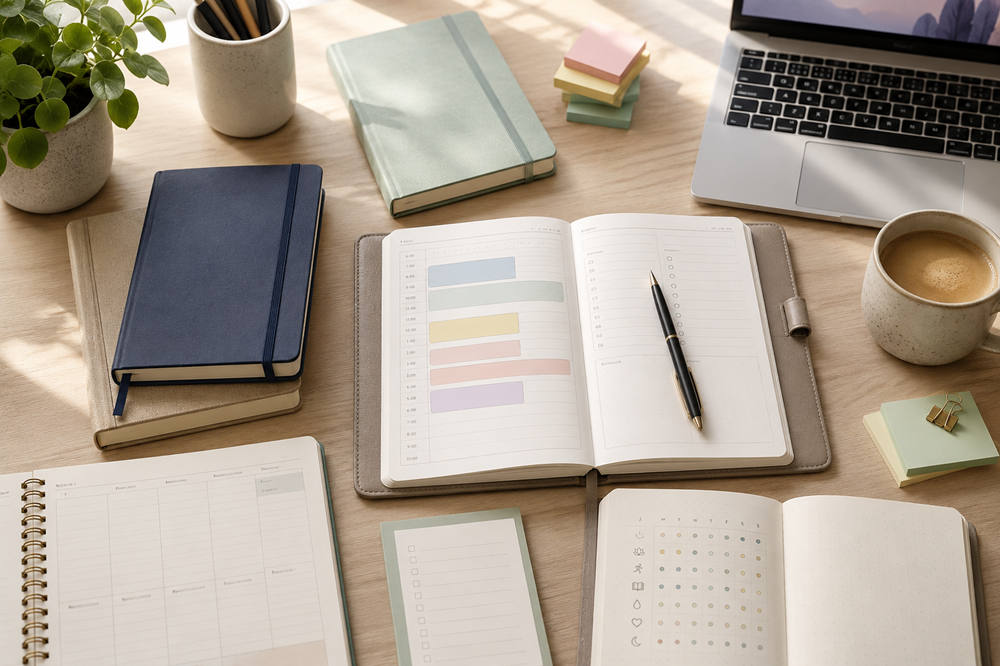
A useful planner usually includes:
- A clear daily or weekly layout
- Space for top priorities
- Room for appointments and deadlines
- Goal-setting pages
- Habit or progress tracking
- Notes or brain-dump space
- Simple review prompts
You do not need all of these features. In fact, too many sections can make planning feel like another task to complete. A good planner gives you enough structure to stay focused without making the process feel stiff or overwhelming.
1. Full Focus Planner
The Full Focus Planner is a strong option for people who want their daily tasks to connect with bigger goals. It is built around priorities, goal progress, and intentional planning, which makes it useful for professionals, business owners, managers, and anyone who wants more direction in their day.
This planner works best if you like structure. It is not just a place to list random tasks. It encourages you to think about what matters most, what needs attention now, and what can wait.
Choose this planner if you often feel busy but not truly productive. It can help you move away from reacting to urgent tasks and toward making steady progress on important goals.
Best for: professionals, entrepreneurs, team leaders, and goal-focused planners.
2. Passion Planner
Passion Planner is a good fit for people who want productivity and personal reflection in the same place. It includes space for goals, scheduling, priorities, and reflection, making it useful for work, school, creative projects, wellness routines, and personal growth.
This planner feels more flexible than strict. It works well if you like to see your plans, goals, and thoughts together instead of separating everything into different notebooks or apps.
The undated versions are especially helpful if you do not plan every day. You can skip a week and return without feeling like you wasted pages.
Best for: students, creatives, personal-growth readers, and people who want a planner with reflection built in.
3. Clever Fox Planner
Clever Fox Planner is designed for goal setting, time management, habits, and consistency. It gives you more guidance than a blank notebook but does not feel as intense as some highly structured business planners.
This is a good choice if you know what you want to do but struggle to follow through. The goal and habit sections make progress more visible, which can help when motivation drops.
Clever Fox works well for weekly planning, building routines, tracking personal goals, and managing everyday responsibilities without making the layout feel too complicated.
Best for: habit building, weekly organization, goal tracking, and reducing procrastination.
4. Hobonichi Techo
The Hobonichi Techo is popular with people who want a planner that can also work as a journal. It offers flexible formats, high-quality paper, and enough space for detailed daily notes, schedules, lists, and reflections.
This planner is less about rigid productivity rules and more about giving you room to think on paper. You can use it for tasks, memories, project notes, habit tracking, sketches, or a mix of everything.
It may be more than you need if you only want a simple to-do list. But if you enjoy writing things down and want a daily record of your work and life, Hobonichi is a strong option.
Best for: writers, journalers, students, detail-oriented planners, and paper-planning fans.
5. Papier Planner
Papier planners are a good choice for people who want a planner that looks beautiful but still has useful structure. Papier offers dated, academic-year, mid-year, and undated options, so you can start when it makes sense for you.
This planner is best for people who are motivated by design. A planner does not have to be fancy, but it should feel inviting enough that you want to keep it nearby.
Papier works well for light productivity planning, school schedules, personal goals, appointments, and everyday organization. It is not the most intense goal system, but that may be exactly why some people like it.
Best for: visual planners, students, gift buyers, and people who prefer a clean, stylish layout.
6. BestSelf Self Journal
The BestSelf Self Journal is built around shorter planning cycles. Instead of asking you to plan an entire year, it helps you focus on a 13-week period.
That shorter timeline can be useful if long-term planning feels too vague. A few months is enough time to make meaningful progress, but not so long that your goals disappear into the background.
This planner works well for focused projects, fitness goals, study plans, business launches, creative work, or personal challenges. It is a good fit when you want a clear finish line.
Best for: 90-day goals, focused projects, personal challenges, and short planning sprints.
7. Todoist
Todoist is not a traditional paper planner, but it works well as a digital productivity system. It lets you organize tasks, set due dates, create recurring reminders, and adjust your schedule quickly.
This is a strong option if your tasks change often. Paper planners are great for focus, but digital tools are better for reminders, repeat tasks, shared projects, and fast rescheduling.
Todoist is also simple enough for everyday use. You can use it for work tasks, errands, deadlines, routines, and personal reminders without building a complicated system.
Best for: digital planning, recurring tasks, reminders, and people who want a simple task manager.
8. Notion Productivity Templates
Notion is best for people who want a customizable planning space. You can build or download templates for weekly planning, project tracking, habit tracking, goal setting, content planning, and personal dashboards.
The biggest benefit is flexibility. Notion can hold your tasks, notes, plans, goals, and project details in one place.
The downside is that it can become too complex. A simple Notion setup can be powerful. A dashboard with too many pages can turn into digital clutter. If you choose Notion, start with one or two templates and keep the system easy to maintain.
Best for: creators, students, project-based workers, and people who like custom digital systems.
How to Choose the Best Productivity Planner for You
Before buying a planner, think about how you naturally organize your life.
Choose a daily planner if your days are packed with meetings, appointments, errands, deadlines, and tasks. Daily layouts give you more space to plan each hour and choose priorities.
Choose a weekly planner if you like seeing the big picture. Weekly layouts are useful when you want to view deadlines, work blocks, personal plans, and open space all at once.
Choose a goal planner if you need help turning big ideas into action. These planners work well for fitness goals, business projects, study plans, creative work, and personal growth.
Choose an undated planner if you often skip days. It gives you more freedom and less guilt when life gets busy.
Choose a digital planner if your schedule changes often or you need reminders. Apps are better for recurring tasks, calendar syncing, search, and shared projects.
Paper Planner vs Digital Planner
Paper planners are great for focus. Writing things down slows your mind just enough to help you choose what matters. A paper planner also keeps you away from phone distractions, which is helpful if you often open one app and end up in five others.
Digital planners are better for flexibility. You can move tasks, set reminders, search old notes, sync across devices, and manage changing projects more easily.
Many people do best with both. You might use Google Calendar for appointments, Todoist for recurring tasks, and a paper planner each morning to choose your top three priorities. That way, each tool has a clear job.
Common Planner Mistakes to Avoid
One common mistake is buying a planner for the person you wish you were instead of the person you are. If you dislike detailed tracking, a planner full of habit boxes may frustrate you. If you need guidance, a blank notebook may not give you enough direction.
Another mistake is trying to make every page perfect. Your planner is not a display piece. Cross things out. Move tasks. Skip pages. Write messy notes. A planner that gets used is doing its job.
It is also easy to overload each day. A long task list may look productive, but it often creates stress. Start with a few important tasks, then add smaller items only if you have time.
Finally, do not ignore review time. A short weekly review helps you see what got done, what still matters, and what can be dropped.
A Simple Way to Start Using a Productivity Planner
Start with a routine that takes only a few minutes.
Each morning, write down:
- Your top three priorities
- Any appointments or deadlines
- One task you have been avoiding
- One thing you can realistically finish today
At the end of the day, check what happened. Move unfinished tasks forward only if they still matter. If the same task keeps moving for several days, break it into a smaller step, schedule it, delegate it, or delete it.
You can add habit tracking, weekly reviews, or goal pages later. Keep the first version simple enough to repeat.
Summary
The best productivity planner is not the one with the most features. It is the one that helps you think clearly, choose your priorities, and manage your day with less stress.
Full Focus Planner is useful for goal-driven structure. Passion Planner works well for reflection and personal growth. Clever Fox is strong for habits and consistency. Hobonichi Techo gives you flexible daily space. Papier is ideal if design keeps you motivated. BestSelf Self Journal works well for focused 13-week goals. Todoist and Notion are better for people who prefer digital planning.
A planner will not magically fix an overloaded life, but it can help you make better decisions with your time. Pick one that fits your habits, keep your system simple, and use it as a tool for focus instead of another thing to perfect.