
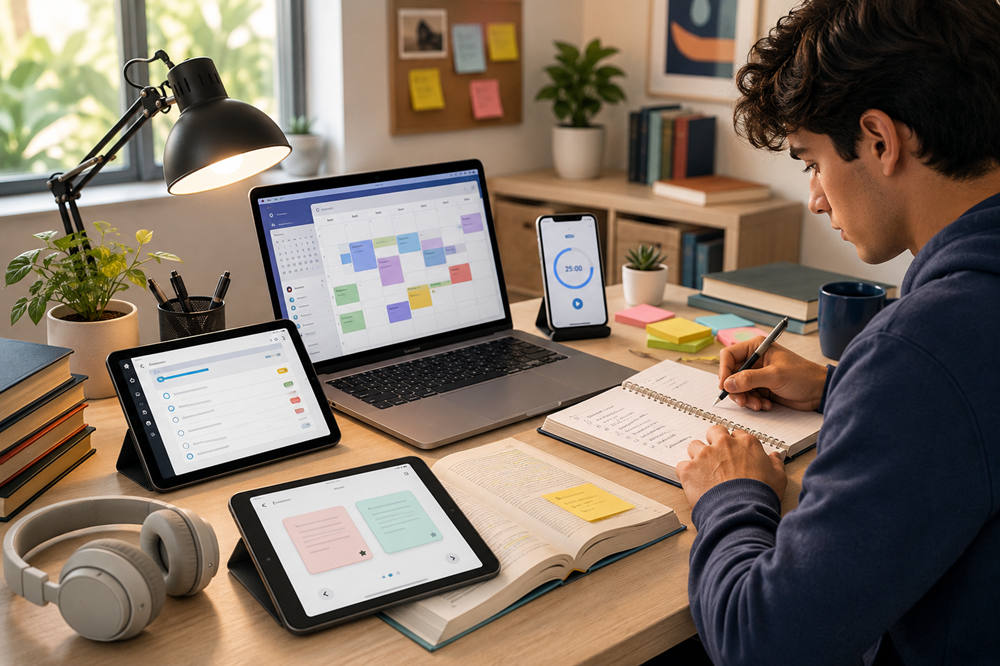
Student life gets messy fast. One day you are keeping up with class notes, and the next you have three deadlines, a group project, unread emails, and an exam you somehow forgot was this week.
Productivity apps can help, but only if they make life simpler. The goal is not to download every popular tool. The goal is to build a small system that helps you plan your time, track assignments, focus better, and study in a way that actually sticks.
Here are some of the best apps for student productivity, organized by what they do best.
1. Notion: Best for an All-in-One Student Dashboard
Notion is one of the best apps for students who want everything in one place. You can use it for class notes, assignment trackers, reading lists, project plans, habit tracking, and semester planning.
It works well because it is flexible. You can create a page for each class, add lecture notes, track deadlines, save useful links, and organize your study materials without jumping between five different apps. Eligible students can also use Notion’s education plan, which makes it even more useful for school.
Notion is best for students who like detailed organization. It is especially helpful if you have several classes, long-term projects, or lots of notes to manage.
A simple setup is enough. Create one main semester page, then add sections for classes, assignments, exams, and resources. Do not spend the whole afternoon designing a perfect dashboard and call it studying. Pretty pages are nice, but finished work is better.
2. Google Calendar: Best for Planning Your Week
A to-do list tells you what needs to happen. A calendar tells you when it will happen. That is why Google Calendar is one of the most useful productivity apps for students.
You can add class times, exam dates, work shifts, club meetings, study blocks, and personal plans. It is also great for time blocking, which means setting aside specific times for specific tasks. Instead of writing “study biology” somewhere vague, you can block 4:00–5:00 p.m. for biology practice questions.
Google Calendar is best for students who forget deadlines, overpack their days, or need a clearer weekly routine. It also works well with other Google tools, which many schools already use.
Keep your calendar simple. Use it for fixed commitments first, like classes and exams. Then add study blocks around them. If your plan does not fit on the calendar, it probably will not fit in real life either.
3. Todoist: Best for Assignments and Daily Tasks
Todoist is a clean task manager that helps you keep track of what needs to get done. It is stronger than a basic checklist because you can organize tasks by class, project, deadline, and priority.
This app is useful for everyday student tasks: submit math homework, email your professor, finish reading chapter six, review flashcards, or start a paper outline. It also helps you break big assignments into smaller steps, which makes them less intimidating.
Todoist is best for students who want a serious but simple task system. It is especially helpful if you like seeing everything due today, this week, or for a specific class. You can explore its main task features on Todoist.
The key is to write tasks clearly. “History essay” is too vague. “Find three sources for history essay” is much easier to start. A good task should tell you exactly what action to take next.
4. Microsoft To Do: Best for Simple Checklists
Microsoft To Do is a better fit if you want something lighter than Todoist. It is simple, clean, and easy to use for daily lists, reminders, recurring tasks, and quick planning.
This app works well for students who do not want a complicated system. You can create lists for school, personal errands, long-term reminders, or specific classes. It also connects with Microsoft tools, which is helpful if your school uses Outlook or Microsoft 365.
Microsoft To Do is best for students who just need a dependable checklist. It is not as powerful as Todoist for bigger projects, but that can be a good thing. Sometimes a simple list is exactly what you need.
Use the “My Day” feature to choose a few realistic tasks each morning. Try not to dump your entire academic life into one day. That is not planning. That is panic with bullet points.
5. OneNote: Best for Class Notes
OneNote is one of the strongest note-taking apps for students, especially if you like a notebook-style layout. You can create notebooks, sections, and pages, making it easy to organize notes by semester, class, and lecture.
It is useful for typed notes, handwritten notes, screenshots, diagrams, lecture slides, and quick reminders. If you use a tablet or stylus, OneNote can feel close to a real notebook, but with better search and organization.
OneNote is best for students who take a lot of class notes or want a clear place to store lecture material. Microsoft describes OneNote as a flexible digital notebook, and that is exactly where it shines.
A good setup is simple: one notebook for the semester, one section for each class, and one page for each lecture. Add dates to your page titles so you can find your notes quickly before exams.
6. Anki: Best for Long-Term Memorization
Anki is one of the best study apps for students who need to remember information over time. It uses spaced repetition, which means it shows you flashcards at planned intervals so you review information before you forget it.
This is especially useful for languages, biology terms, medical vocabulary, history dates, formulas, and definitions. Anki is not the prettiest app, but it is powerful when used consistently.
Anki is best for serious memorization. If you are preparing for a hard exam or taking a class with lots of facts, it can be much better than rereading notes over and over. You can download the app from the official Anki site.
The trick is to keep your cards small. One question, one answer. If a card feels too hard, split it into two or three simpler cards.
7. Quizlet: Best for Quick Study Sets
Quizlet is another strong study app, but it feels easier and more beginner-friendly than Anki. You can make flashcards, practice with tests, review terms, and use ready-made study sets.
Quizlet is best for quick review, vocabulary practice, and studying with classmates. It is especially helpful when you need to prepare for a quiz or memorize basic terms without building a complicated system.
The difference between Anki and Quizlet is simple. Anki is better for long-term memory and serious spaced repetition. Quizlet is better for fast, easy study sessions and shared class materials. Quizlet also offers AI study tools, including practice tests and study guides.
Do not just flip through cards passively. Try to answer before you look. That active recall is what helps the information stay in your brain.
8. NotebookLM: Best for Studying From Your Own Materials
NotebookLM can help when your study materials start piling up. You can upload notes, documents, PDFs, or readings, then use the app to ask questions, create summaries, and review key ideas from your own sources.
This can be especially useful for long readings, research-heavy classes, or exam review. Instead of scrolling through a huge PDF, you can use NotebookLM to pull out themes, compare ideas, or turn class material into study questions.
NotebookLM is best for students who work with a lot of documents. It can make studying feel less scattered, especially when your notes are spread across lectures, slides, and readings. Google describes NotebookLM as a tool for working with your own sources, which makes it different from a general chatbot.
Use it carefully, though. It should help you study your class materials, not replace them. Always check important details against your original notes or readings.
9. Forest: Best for Staying Focused
If your phone keeps stealing your attention, Forest is a useful focus app. The idea is simple: you plant a virtual tree, then let it grow while you stay focused. If you leave the app too soon, your focus session is interrupted.
It sounds small, but the visual reminder can help. A 25-minute timer feels more concrete when you are trying not to check messages, scroll TikTok, or “quickly” look something up and disappear for half an hour.
Forest is best for students who struggle with phone distractions. It works well for Pomodoro-style study sessions, reading blocks, writing sessions, and homework sprints. The app also connects focus with tree-planting efforts through its Forest platform.
Use it with one clear task. Instead of “study chemistry,” try “finish 10 chemistry problems.” Focus works better when your target is specific.
10. Grammarly: Best for Essays and Emails
Grammarly is helpful for essays, discussion posts, scholarship applications, emails, and presentations. It checks grammar, spelling, clarity, and tone, which can make your writing cleaner before you submit it.
This is especially useful when you have been staring at the same essay for too long and can no longer tell whether a sentence makes sense. Grammarly can catch small errors, awkward wording, and unclear phrasing.
Grammarly is best for students who write often. It can support academic writing, but it should not replace your own thinking or voice. The student version of Grammarly is designed for school-related writing and feedback.
Before accepting every suggestion, read the sentence again. Ask yourself: does this still sound like me, and does it still say what I mean? Clear writing matters, but your work should not sound like it was polished into a personality-free robot voice.
11. Trello: Best for Group Projects
Group projects can fall apart quickly when no one knows who is doing what. Trello helps by turning a project into a visual board with cards, lists, deadlines, notes, and attachments.
You can create lists like “To Do,” “In Progress,” “Needs Review,” and “Done.” Then each person can take ownership of specific cards. This makes it much easier to see what is finished, what is late, and what still needs attention.
Trello is best for group assignments, presentations, research projects, and any task with several moving parts. It is simple enough for classmates to understand quickly, even if they are not productivity-app people. You can see how its board system works on Trello.
A shared board also prevents the classic group project problem: everyone thinks someone else is handling the important part.
12. Canva: Best for Presentations and Visual Projects
Canva is a helpful app for students who need to create presentations, posters, infographics, resumes, or visual reports. It gives you templates and design tools without requiring advanced design skills.
This is useful when you want your project to look polished but do not want to spend hours adjusting fonts and spacing. Canva can help with class slides, club materials, digital portfolios, and creative assignments.
Canva is best for visual projects. It will not write the assignment for you, but it can help you present your ideas clearly. Students and educators can explore options through Canva for Education.
Use templates as a starting point, not the whole project. Choose a clean design, keep text short, and make sure the visuals support your main point.
A Simple Productivity Setup for Students
You do not need all of these apps. In fact, using too many tools can make you feel more disorganized. A strong student system usually needs only a few pieces:
- A calendar for your schedule
- A task app for assignments
- A notes app for class material
- A study app for review
- A focus or writing tool if you need extra support
For example, one simple setup could be Google Calendar, Todoist, OneNote, Anki, and Grammarly. Another could be Notion, Google Calendar, Quizlet, Forest, and Canva.
The best setup is the one you will actually use when you are tired, busy, and not feeling motivated. Choose apps that reduce friction, not apps that create more work.
Summary
The best apps for student productivity help you stay organized, study actively, manage deadlines, write clearly, and protect your focus. Notion is great for all-in-one planning. Google Calendar helps you map out your week. Todoist and Microsoft To Do keep tasks under control. OneNote is excellent for notes. Anki and Quizlet help with studying. NotebookLM can make your own materials easier to review. Forest helps with focus, Grammarly improves writing, Trello keeps group projects organized, and Canva makes visual work easier.
Start with one or two apps, build a simple routine, and only add more when you truly need them. Productivity is not about having the most tools. It is about making school feel more manageable, one clear step at a time.